
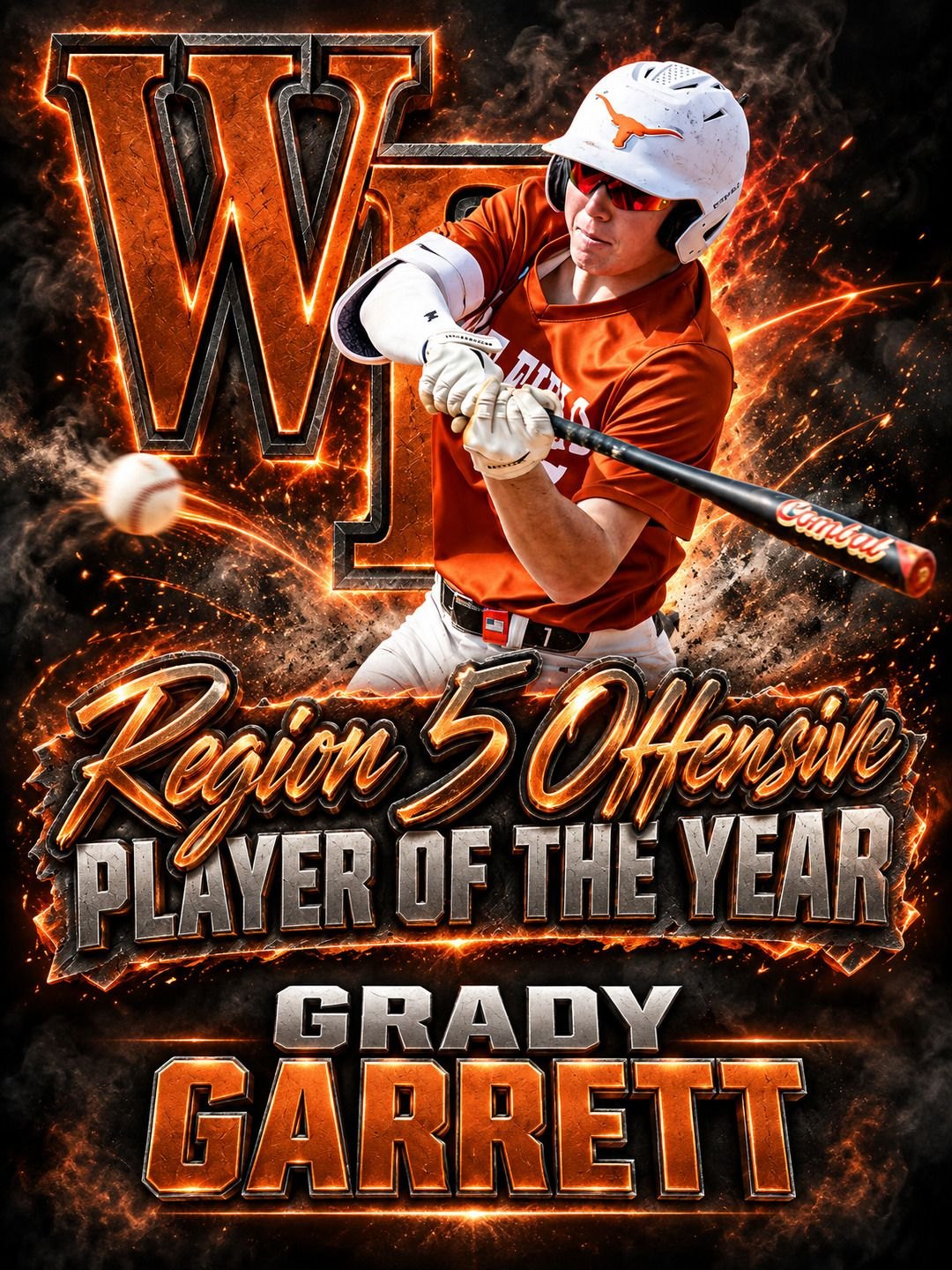
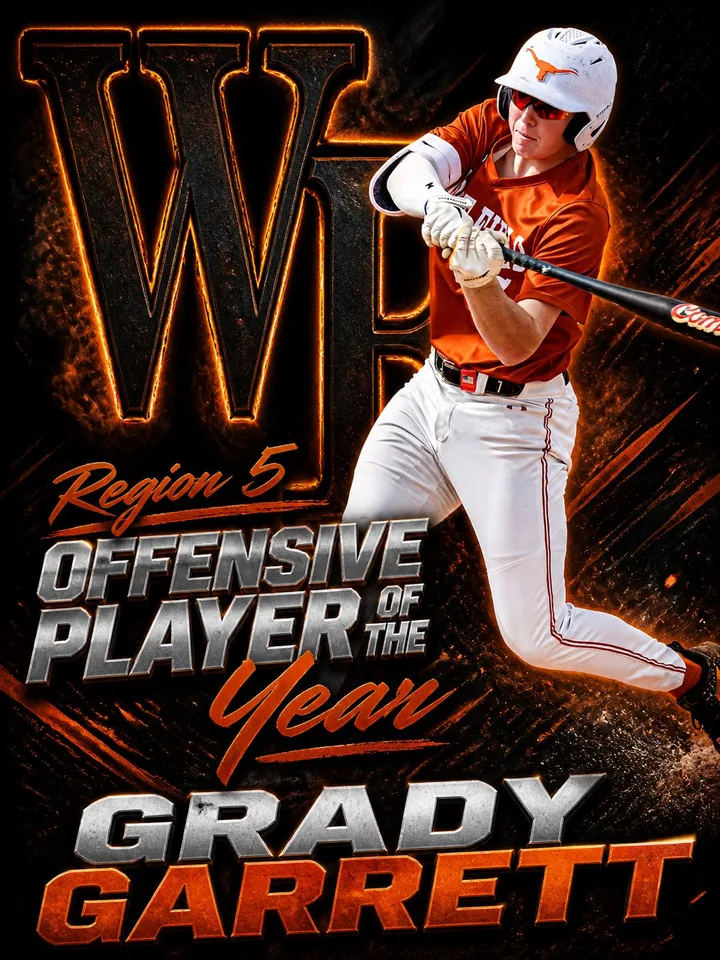
Grady Garrett was named Region 5 Offensive Player of the Year. Here’s his graphic made the old way and on our new image engine, from the same photo, the same logo, and the same award title.
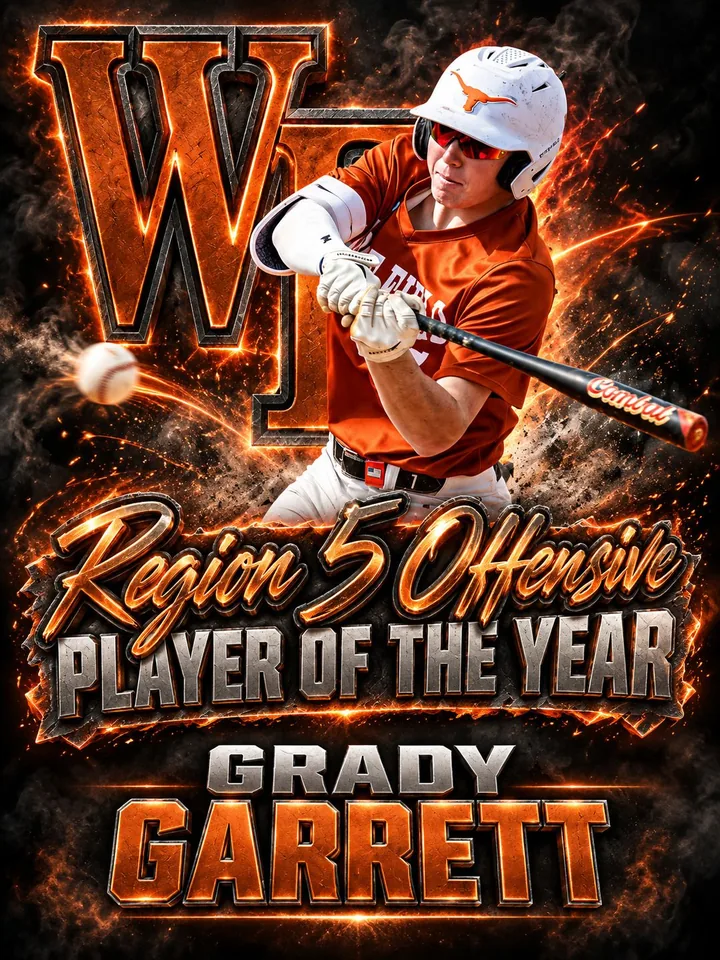
Everything on the new one is crisper. You can read the lettering on his bat and spot the scuffs on his helmet. The team orange runs rich and hot against deep, smoky blacks, and firelight wraps around him like arena lighting. The award title is chrome lettering with real depth, and the school monogram went from a flat, dark shape to glowing molten metal.
Sharper detail, bolder color, cinematic lighting, lettering that pops. The kind of graphic people stop scrolling for.
Did Game Day Graphics Get the Upgrade Too?
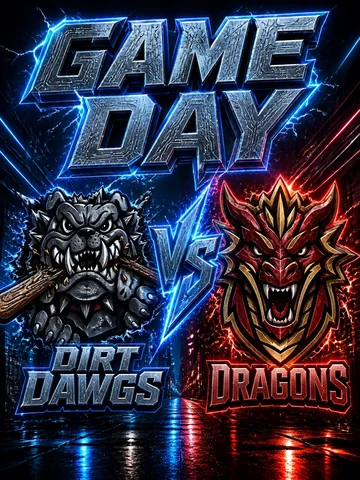
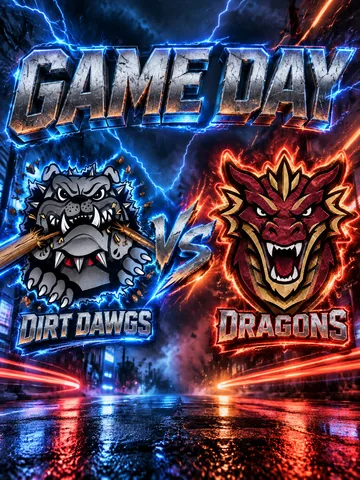
Yes. Here’s a game day graphic for the same matchup, before and after. The new one adds rain-slick streets, neon light trails, and lightning crackling around the title, and both mascots glow like they’re lit up on a marquee.
How Long Does a Graphic Take Now?
Most graphics finish in under 30 seconds. Graphics with a player photo used to take close to a minute; now they’re fast enough to post the award before the team leaves the field.
Does the Upgrade Cost More?
No. One graphic is still one credit. There’s nothing to switch on: every layout and style already uses the upgrade, and your saved logos and graphics are right where you left them.
Which Graphics Use a Player Photo?
The photo layouts are where the upgrade shows most, because there’s a real face, uniform, and pose for the lighting to wrap around:
- Hype Poster (Free): one player in front of a styled backdrop with your team logo.
- Phone Wallpaper (Free): the same idea, sized for a lock screen.
- Committed (Base): a college commitment announcement.
- Game MVP (Pro): the player of the game, with their stat line.
- Senior Night (Pro): the post families save and print.
- Tournament Honors (Pro): award cards for an event.
How Do You Get the Best Result From a Player Photo?
Start with a clear, well-lit shot where the player fills the frame. The new engine brings out more detail, so a sharp photo looks sharper and a blurry one still looks blurry.
- Get close instead of zooming in. Digital zoom throws away the detail the engine would bring out.
- Keep hands, feet, and the bat or ball inside the frame. When a photo cuts off a limb at the edge, the design has to fill in what’s missing, and that’s where AI images go wrong.
- Use the original photo. Screenshots and photos forwarded by text are smaller and softer than the file on the parent’s phone.
- Skip heavy filters. The style adds its own color and lighting, and a filter fights it.
Can You Use a Photo Taken From the Stands?
Yes. A quick phone shot works, as long as the player is big in the frame and in focus. Two things help most:
- Shoot through a gap in the netting, or from above it. Netting between you and the player sits over their face and uniform, and it stays in the photo.
- Catch the moment after the play. A celebration, a walk back to the dugout, or a fist pump is easier to get sharp than a swing at full speed.
Do My Old Graphics Change?
No. Graphics you already made stay exactly as they are in your library. Make a new one from the same photo to get the new look, like the Grady Garrett example above.
Your saved logos are still there, so remaking a favorite is quick: pick the layout, add the photo, and choose the same style you used before. Put the old and new versions side by side and keep whichever one you like better.
How Do You Get People to Share an Award Post?
Post it the same day the award is announced, while everyone is still talking about it. Then:
- Tag the player, their family, and the school or club account. Each tag puts the post in front of a new set of followers.
- Name the award and one stat in the caption. “Region 5 Offensive Player of the Year” says more than “congrats.”
- Pin it during awards season. New followers see your program celebrating its players.
- Send the file to the family. They’ll post it on their own accounts, too.
What If a Detail Comes Out Wrong?
Look over every graphic before you post it, the way you’d proofread a caption. The design is built around your photo, and like any AI image, a small detail can come out off. If it does, you can regenerate in one tap.
You Got the Shot. Give Them the Spotlight.
Start with a photo you already love. Make it an MVP post, a hype poster, or a season highlight they’ll want to share.